Case study · BinarioPublished
Making Italian train tickets simple to buy and use
Taking the train in Italy can mean three apps, different rules for each ticket, and a departure board you have to keep checking. Binario puts regional, airport, and high-speed trains in one timetable. Tickets are valid as soon as they're bought, and the app tells you about platform changes, delays, and strikes before you have to go looking.
- iOS app
- Travel & mobility
- Ticketing
- Product design
- UX & UI
- Clickable prototype
At a glance
- Platform
- iOS, iPhone
- Who it's for
- Commuters and travelers in Italy
- Our role
- Product design, UX, UI, prototype
- Year
- 2026
The problem
Regional, airport, and high-speed trains are sold by different operators, each with its own app and its own rules, and travelers often find out which rules apply on the platform. We wanted one app that answers the questions people have at a station. Which train, which platform, is it on time, and is my ticket valid?
- 01
One trip, several apps
Comparing a regional train with a Frecciarossa means opening two apps or two websites.
- 02
Rules change with the train
Some tickets need validating, some carry a name, some only work on one train. People find out on the platform.
- 03
Changes arrive late
A new platform or a delay shows up on the departure board before it shows up in the app that sold the ticket.
- 04
Strike days are guesswork
When a strike is called, it's unclear which trains will run and what happens to a ticket that's already paid for.
How we approached it
- 01
One timetable
Regional, airport, and high-speed trains appear in the same list, each with its time, duration, and price on one row.
- 02
A ticket that's ready to use
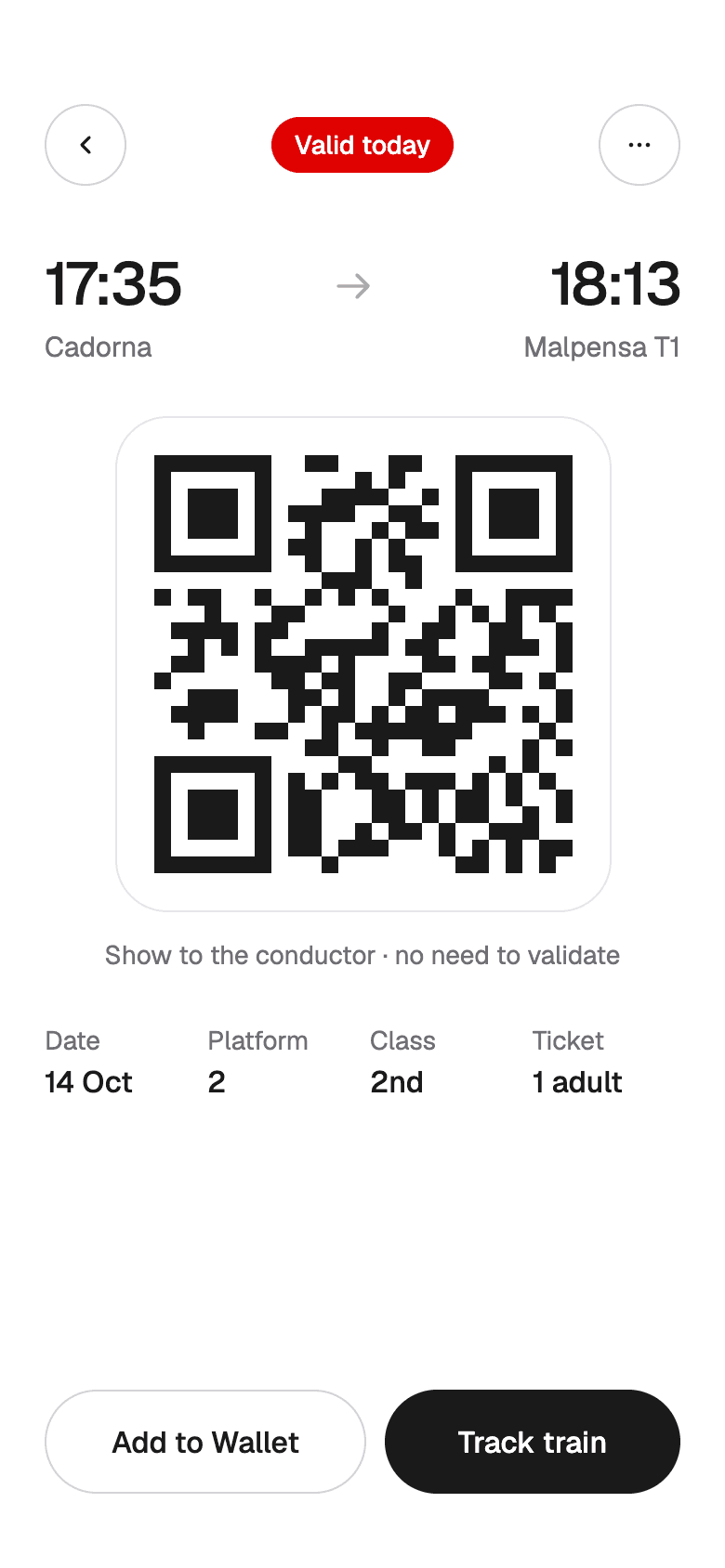
The ticket is a QR code that's valid for its train and time. There's nothing to validate, and it shows the platform.
- 03
The app speaks first
Platform changes, delays, and strikes arrive as alerts with the fix included, like the new platform or a free change.
- 04
Clear prices for changes
Changing to another train or day is free until departure, and every option shows its cost before you confirm.
Onboarding
The problemPeople often download the app at the station with a train to catch, so setup has to be short and easy to skip.
What we did
- The welcome screen shows the timetable itself. The first thing people see is the app doing its job.
- Each permission explains itself. Location finds the nearest station, and notifications cover delays, platforms, and strikes.
- Sign-in takes Apple, Google, or a code by email, and buying as a guest is always possible.
SplashTrains in Italy, simply. 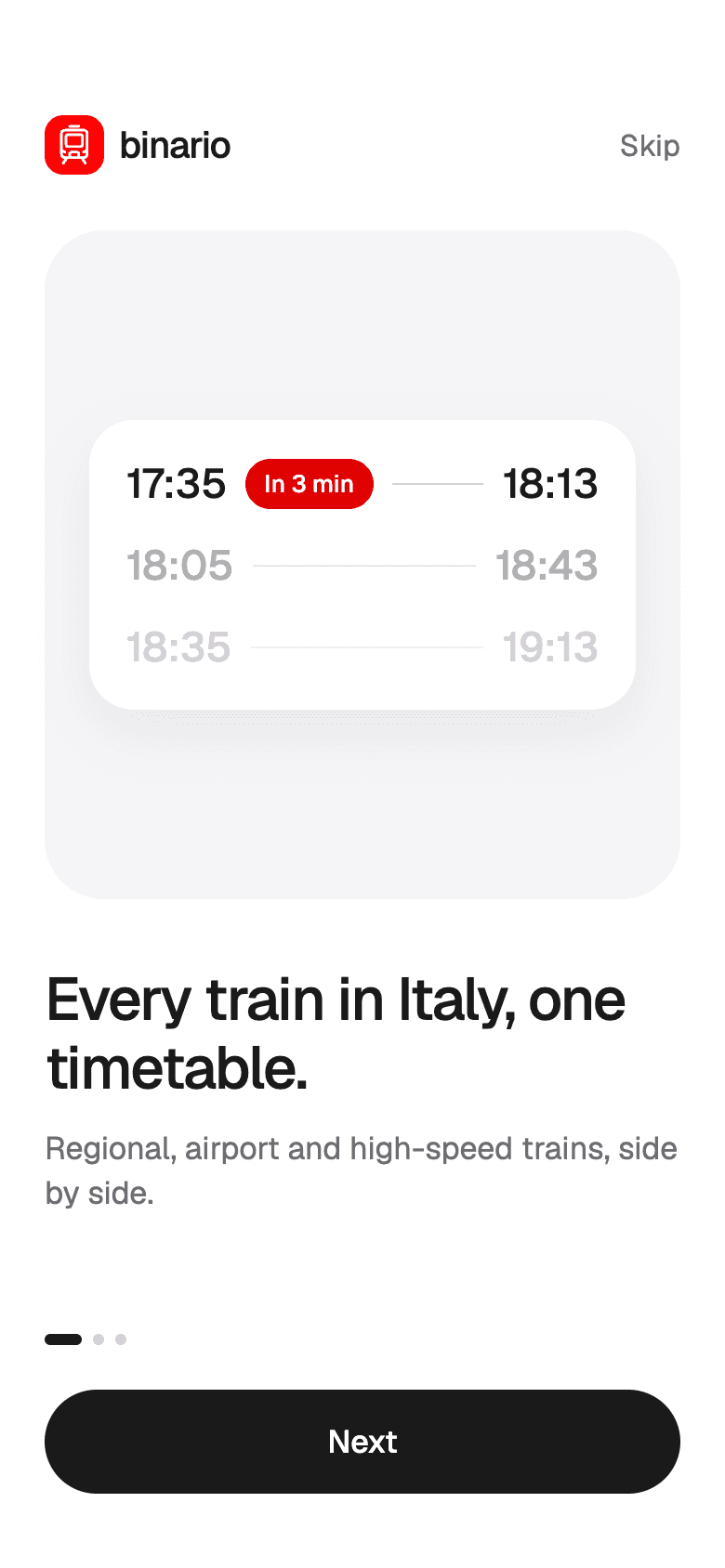
WelcomeThe timetable is the first thing people see. 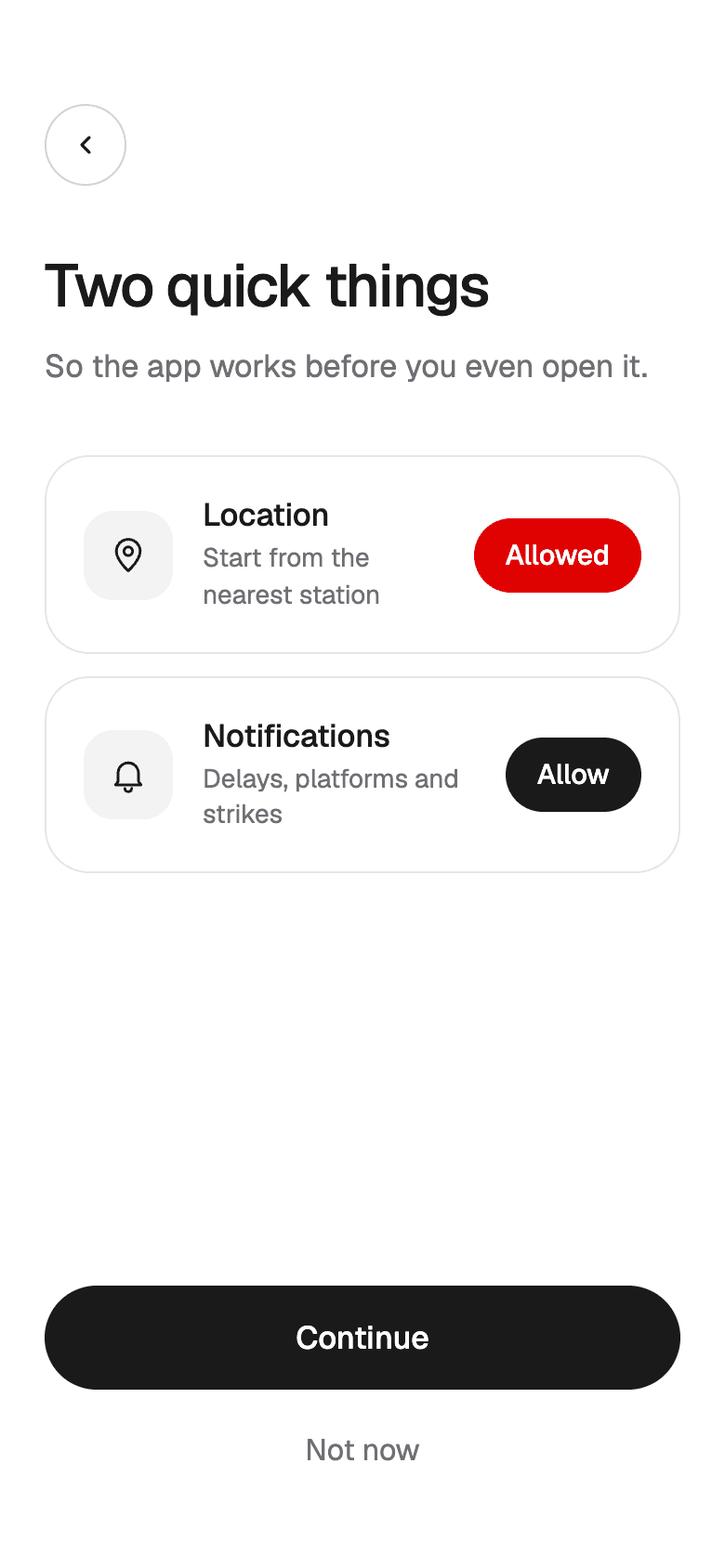
PermissionsLocation and alerts, each with its reason. 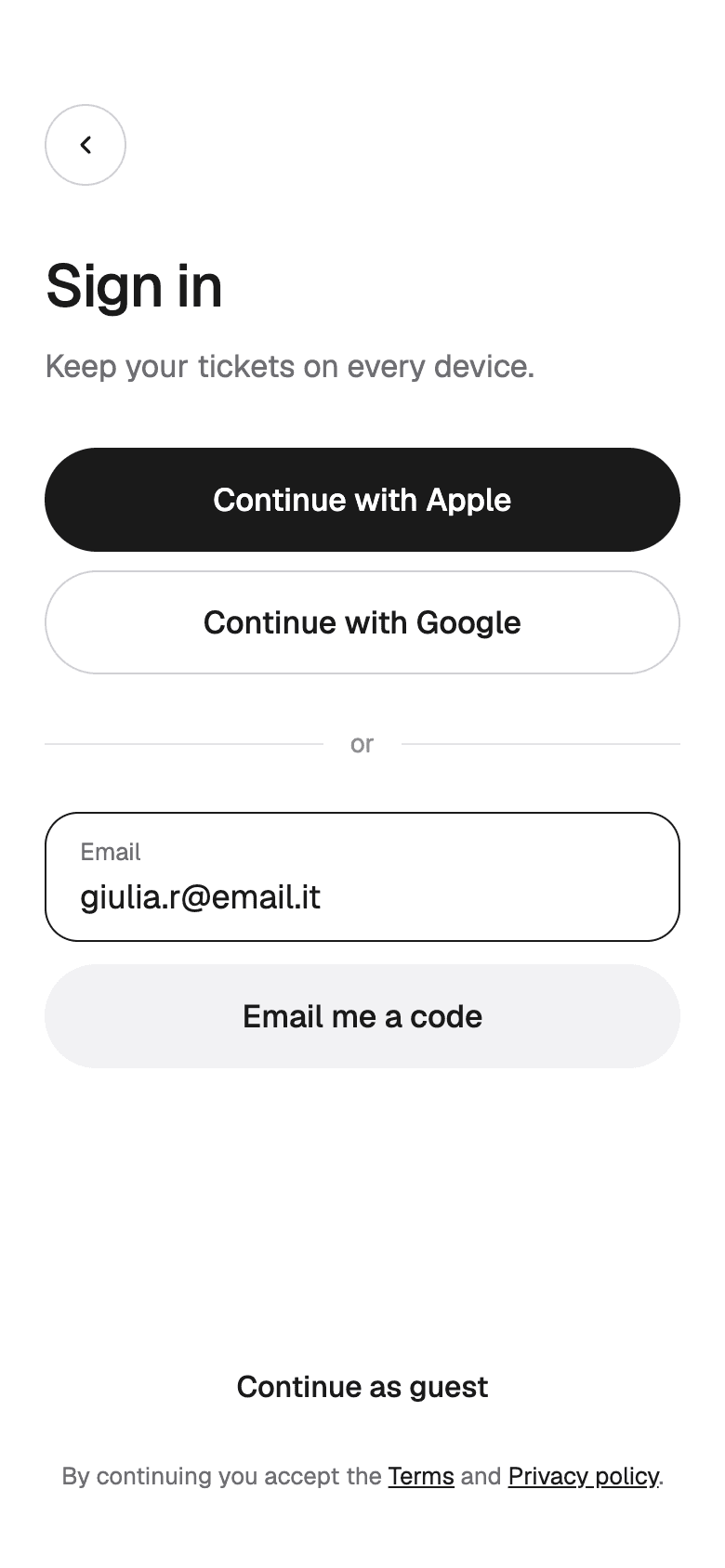
Sign inApple, Google, a code by email, or as a guest. 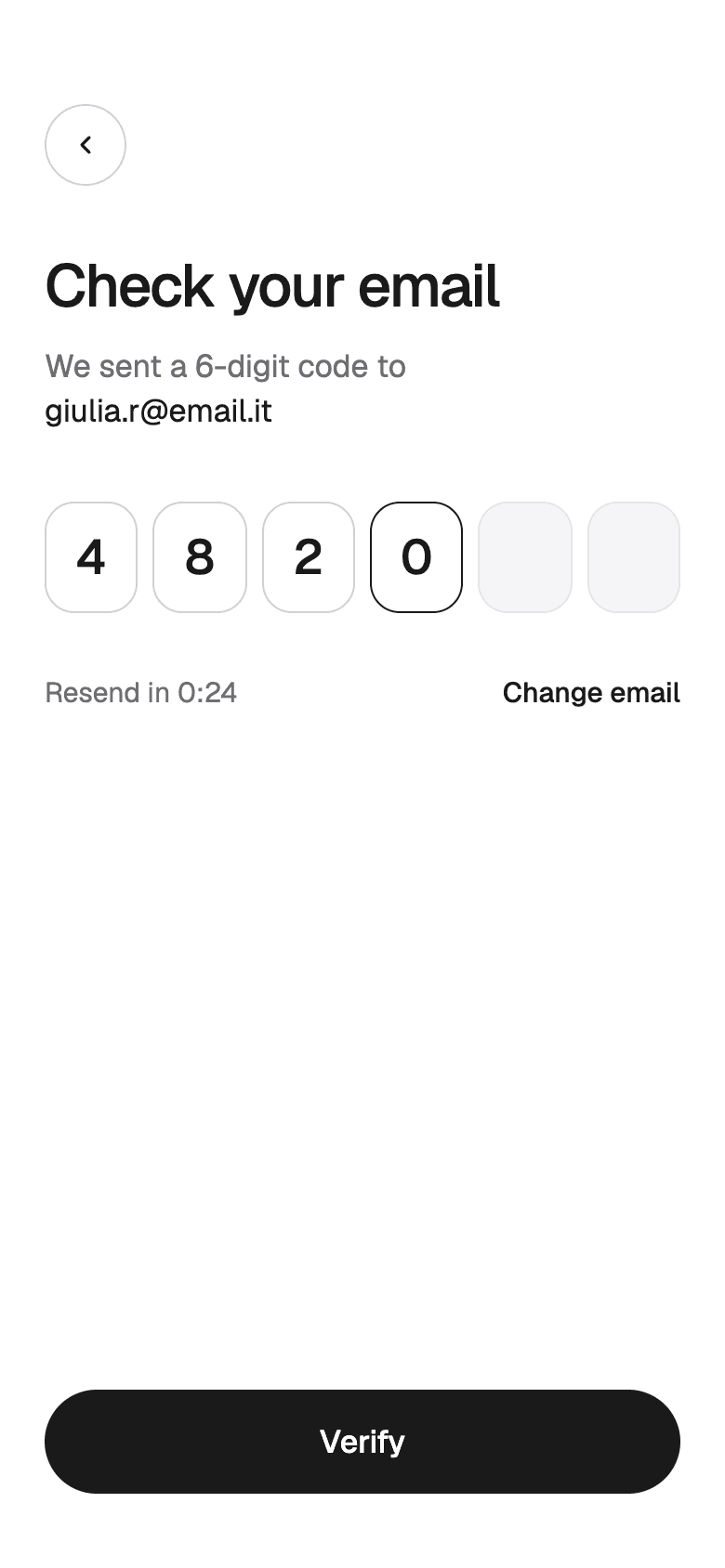
Verify emailA six-digit code instead of a password.
Finding a train
The problemIn most apps, checking the next train means typing the route in again every time.
What we did
- The app opens on the next trains for a saved route, with a countdown on the first one.
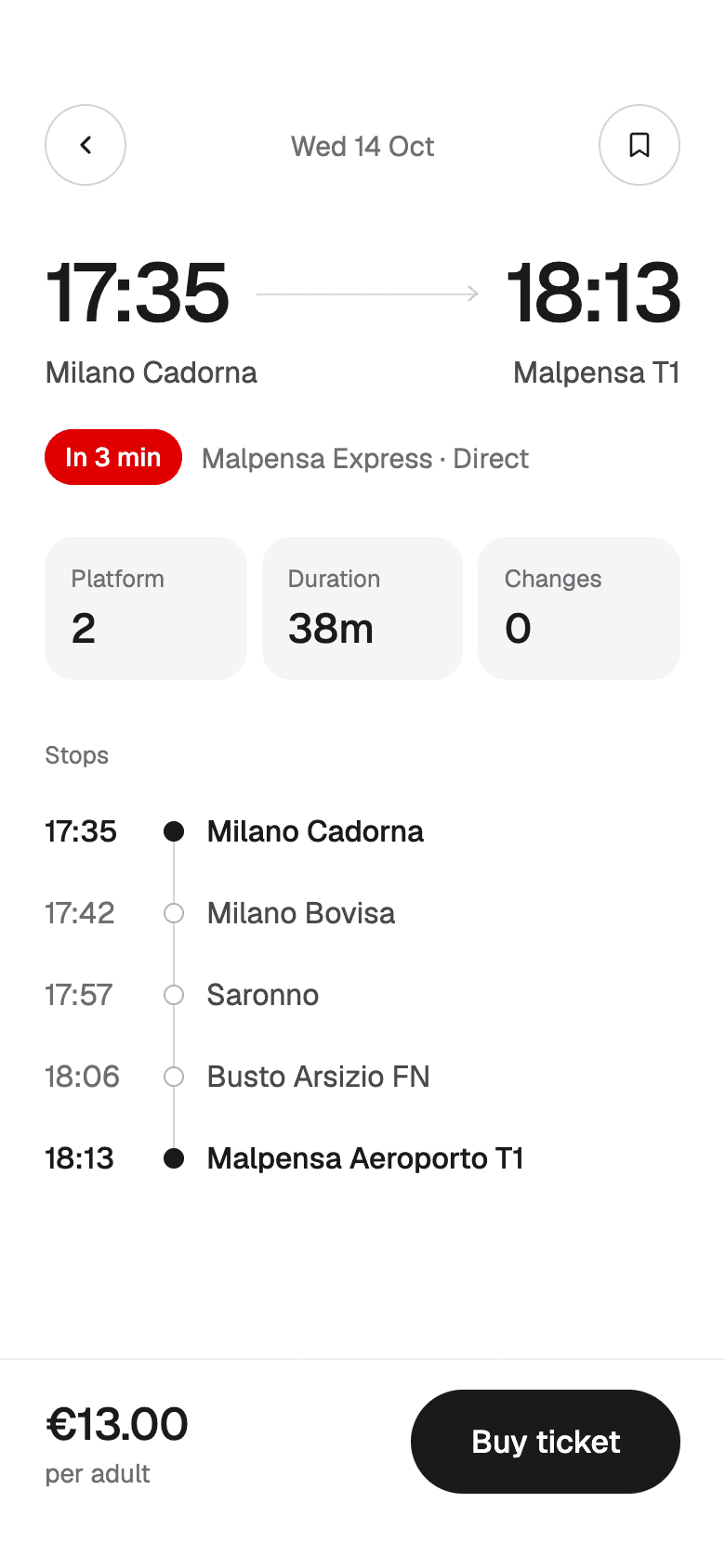
- Each departure shows its time, duration, direction, and price on one row.
- Station search matches as you type and lists recent routes underneath.
- Filters narrow the list by train type, from Regionale to Frecciarossa, or to direct trains only. A journey shows every stop and the platform before you buy.
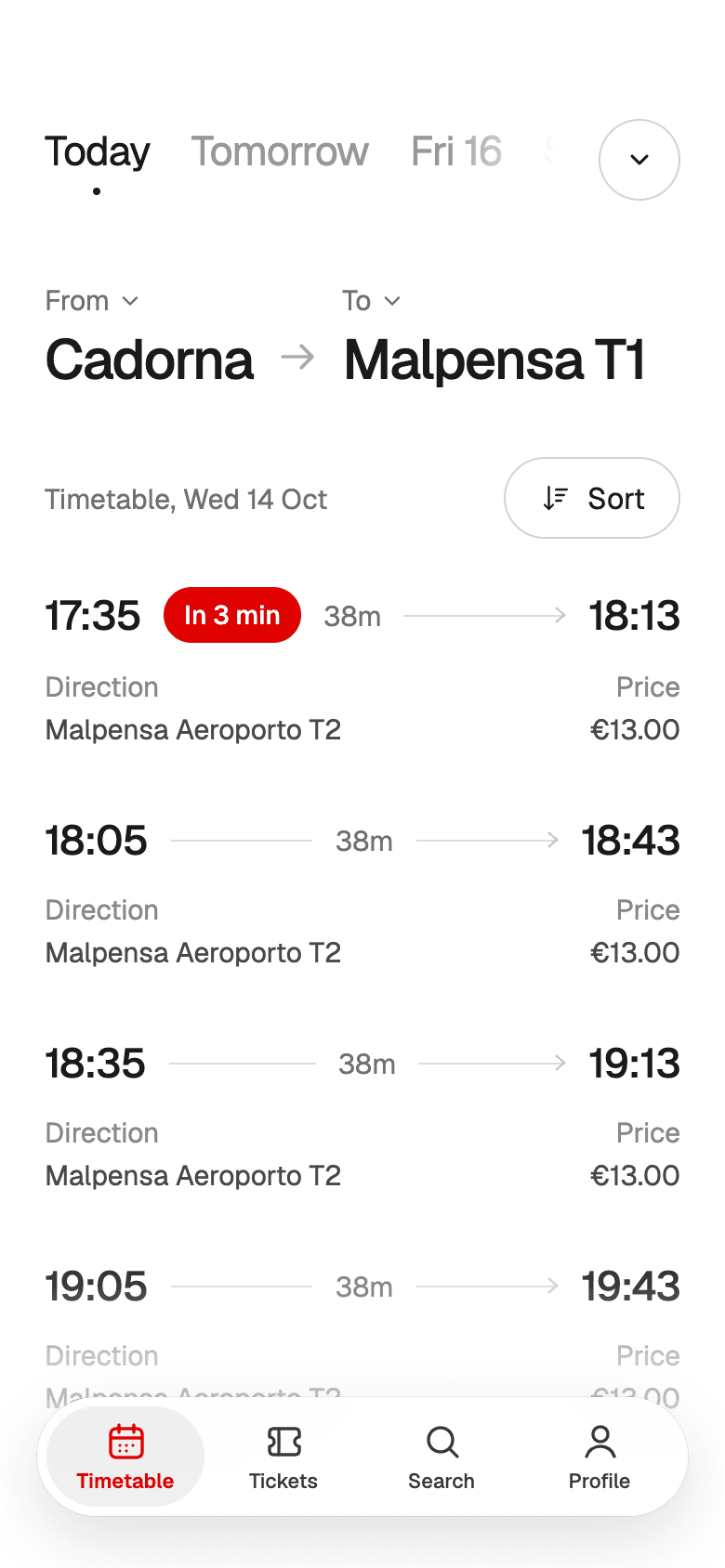
TimetableThe next trains on a saved route, with prices. 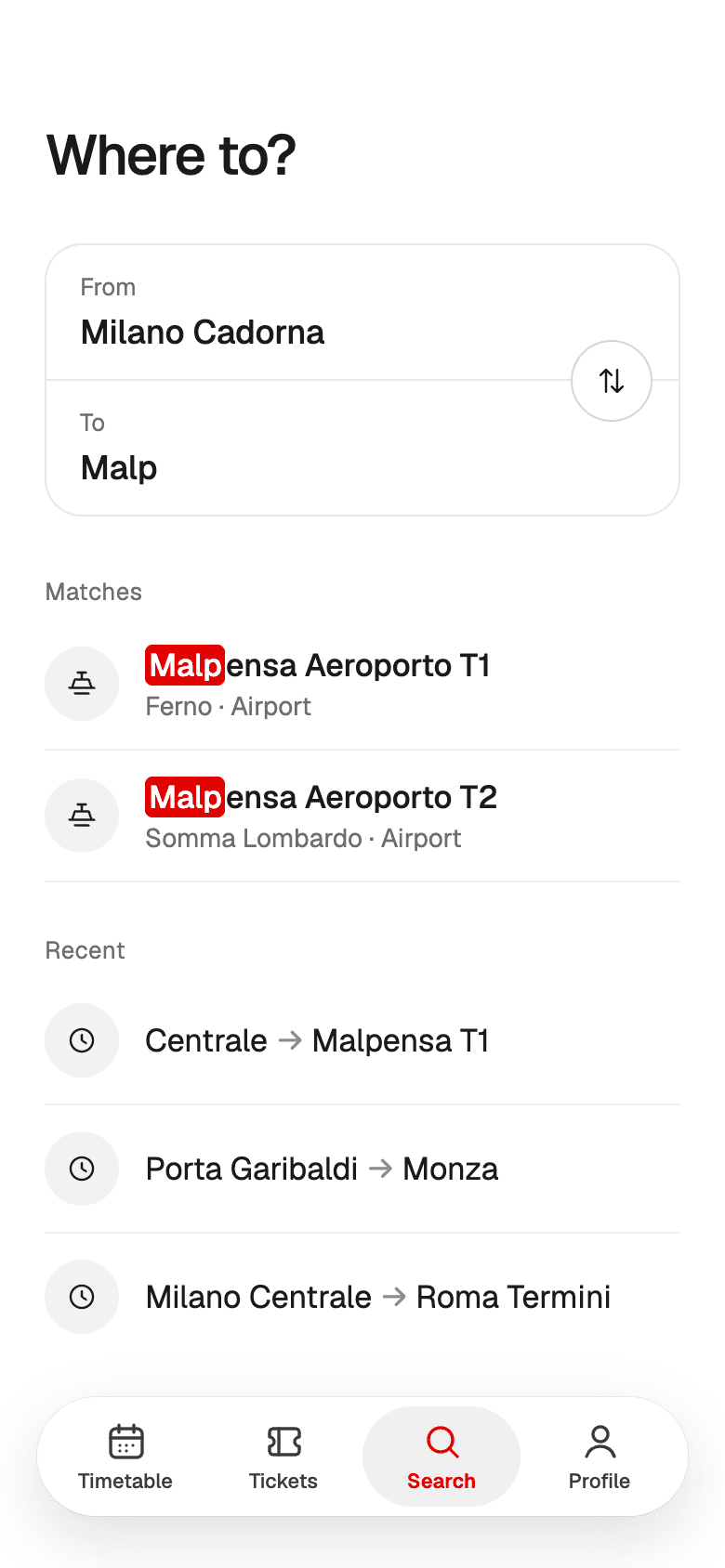
StationsMatches as you type, recent routes below. 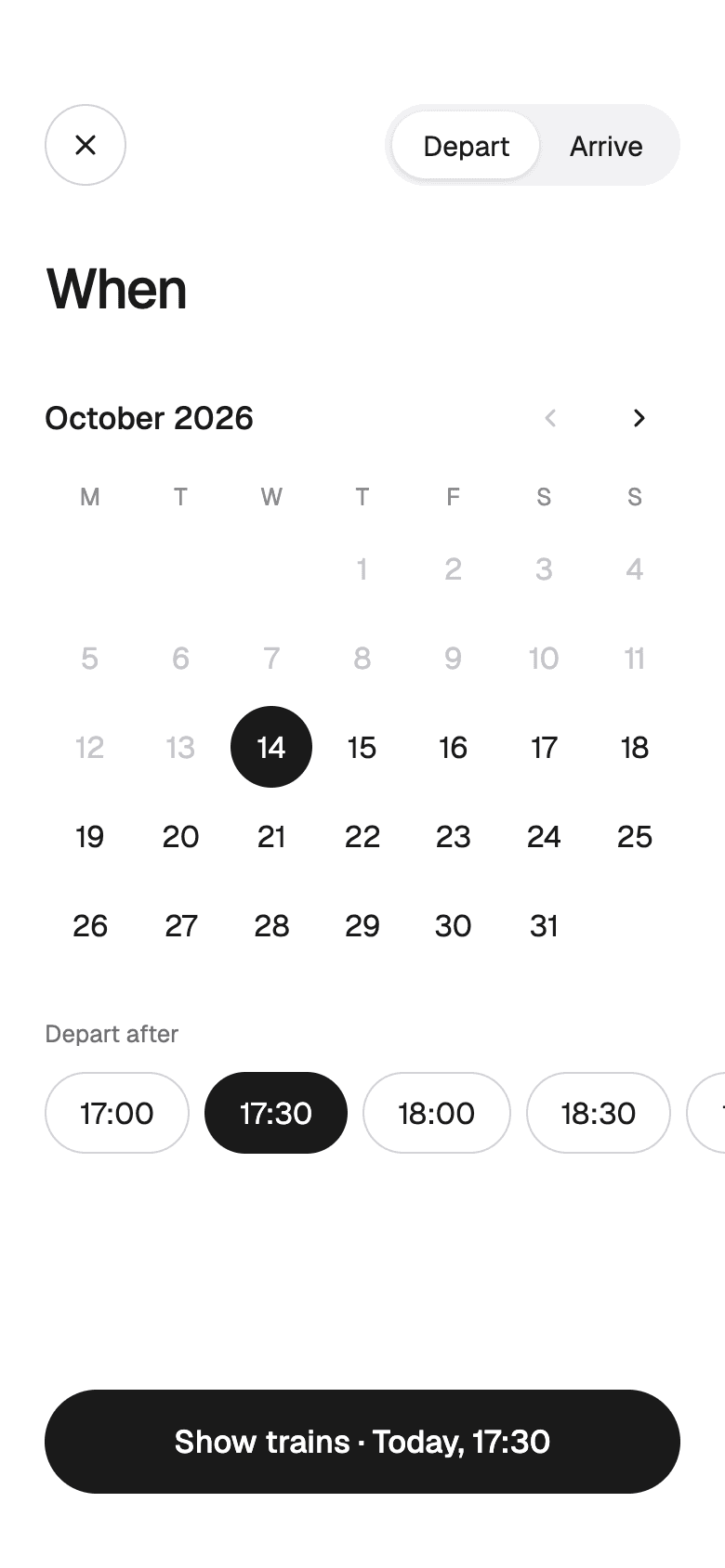
Date and timeDepart or arrive, by day and time. 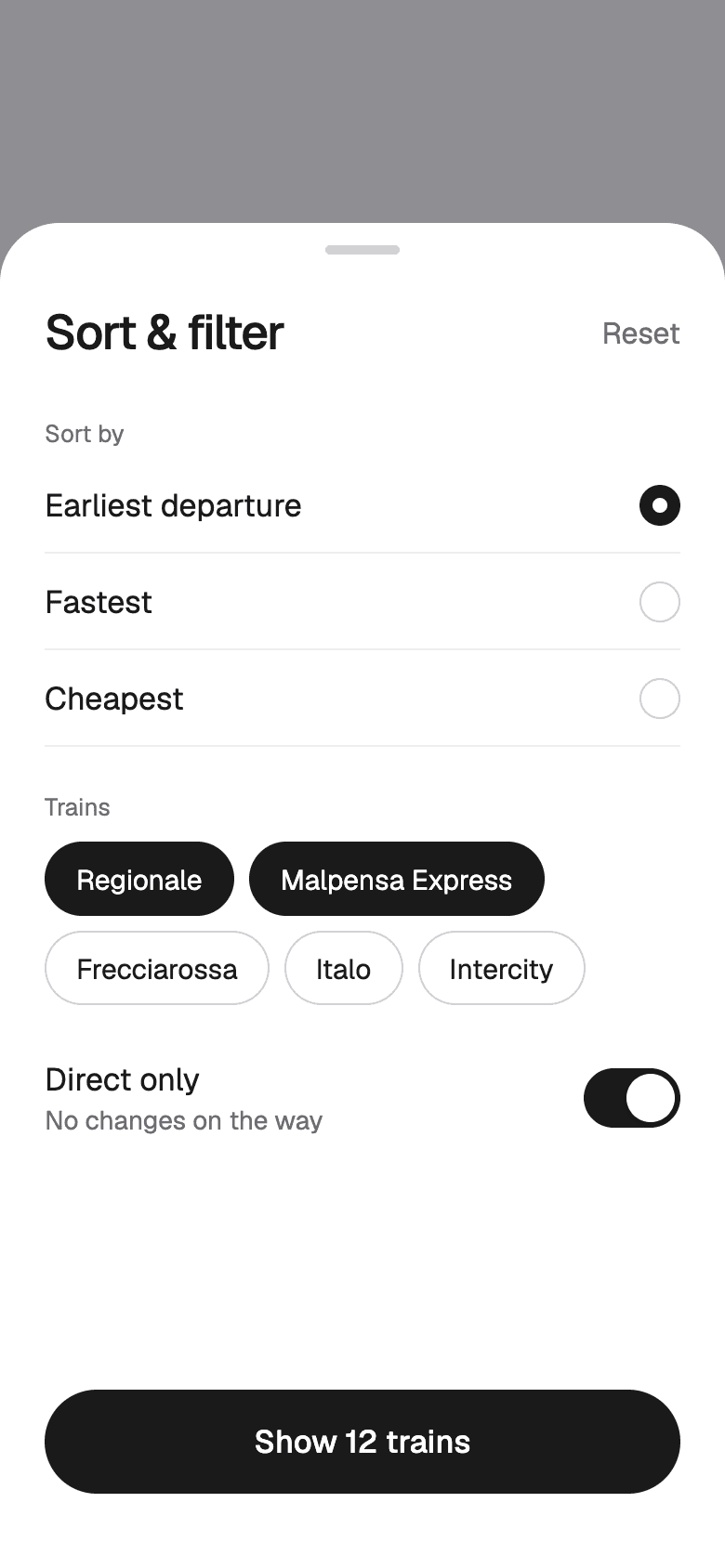
Sort and filterFastest, cheapest, train type, direct only. JourneyEvery stop, the platform, and the price.
Booking
The problemHigh-speed tickets need a class, a seat, and names. Regional tickets need none of that, yet most apps put everyone through the same steps.
What we did
- Booking changes with the train. A regional ticket is a fare and a passenger count, and a high-speed ticket adds class, seat, and names.
- Fares describe what they cover in plain words, like any Malpensa Express today, or return within 30 days.
- High-speed results compare operators side by side and mark the fastest and the cheapest.
- The seat map shows free and taken seats coach by coach with the price of the seat you pick, and passenger names can be saved for next time.
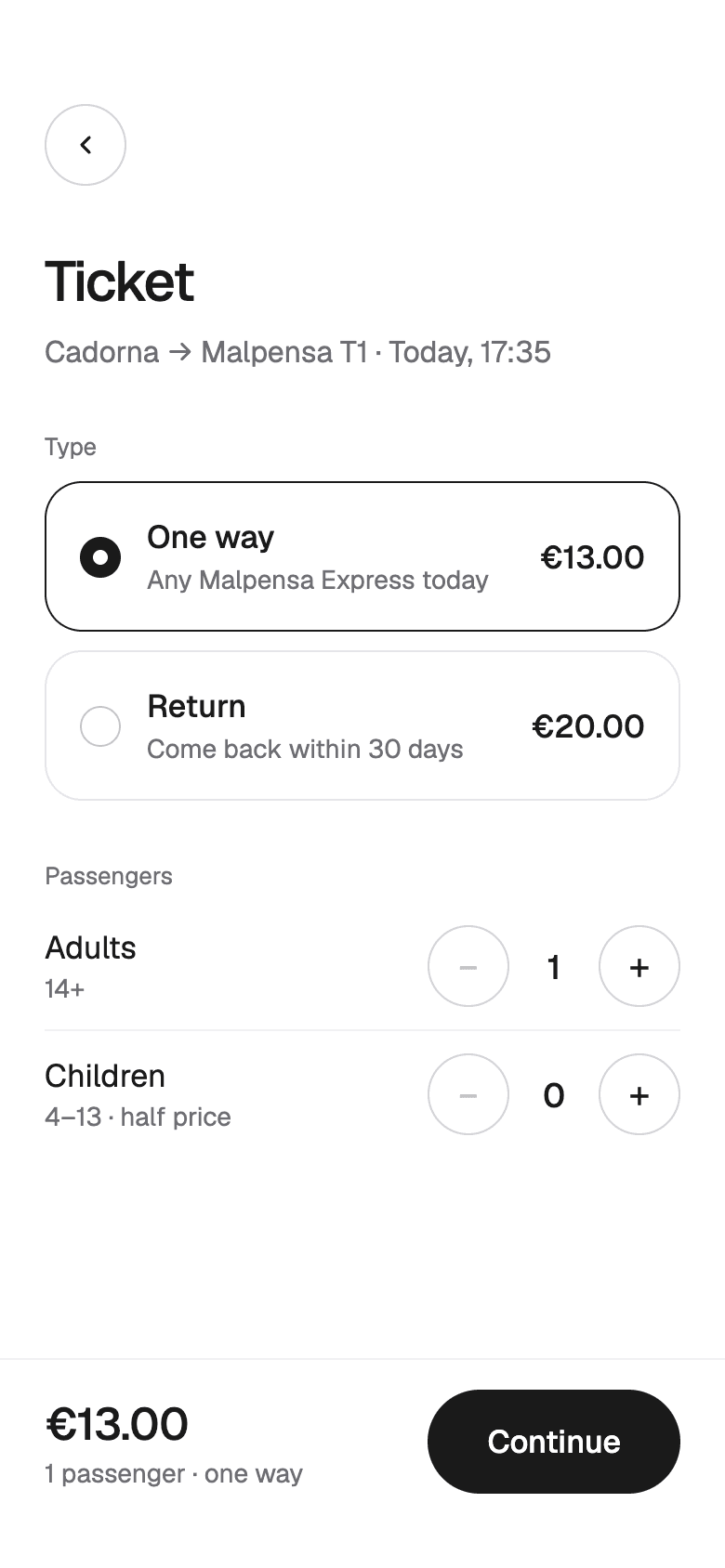
FareOne way or return, adults and children. 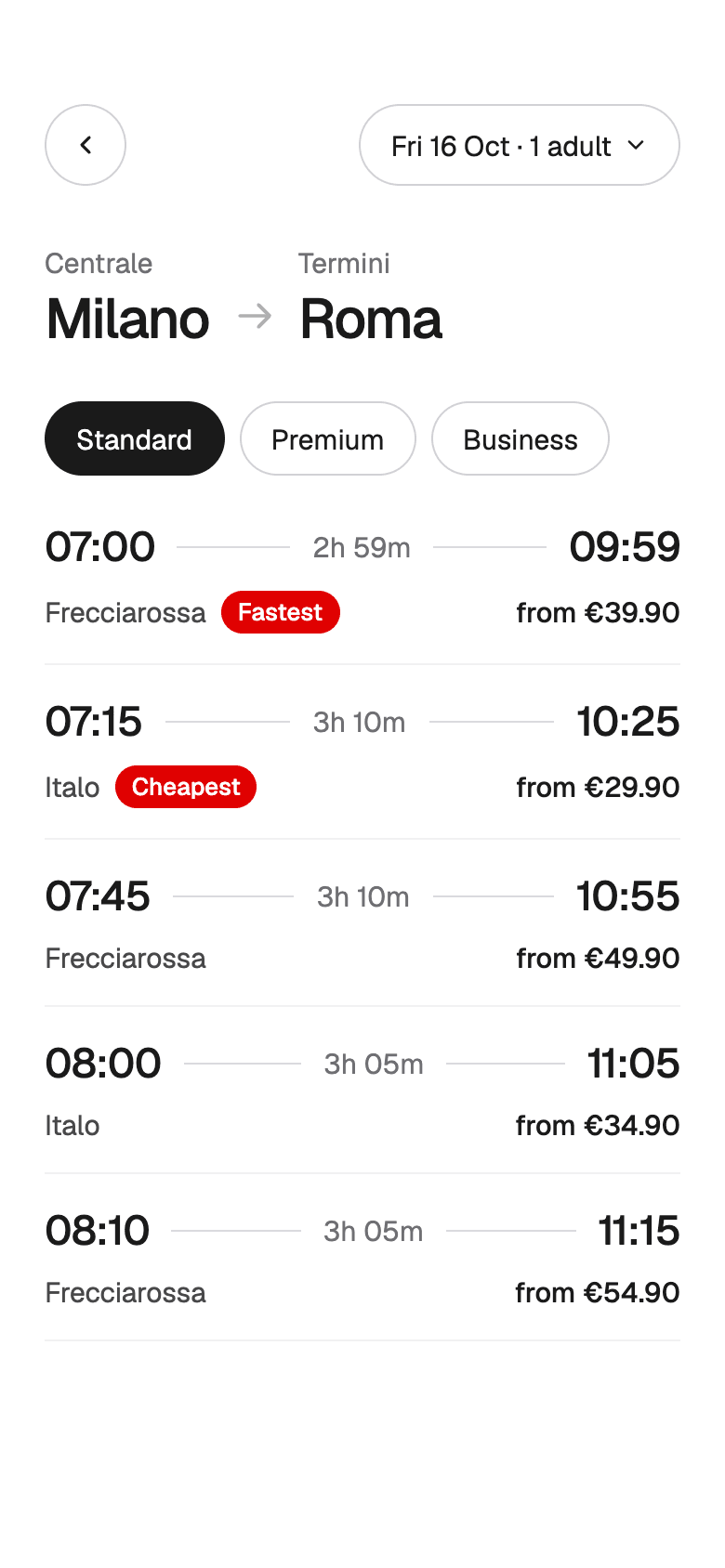
High-speed resultsOperators side by side, fastest and cheapest marked. 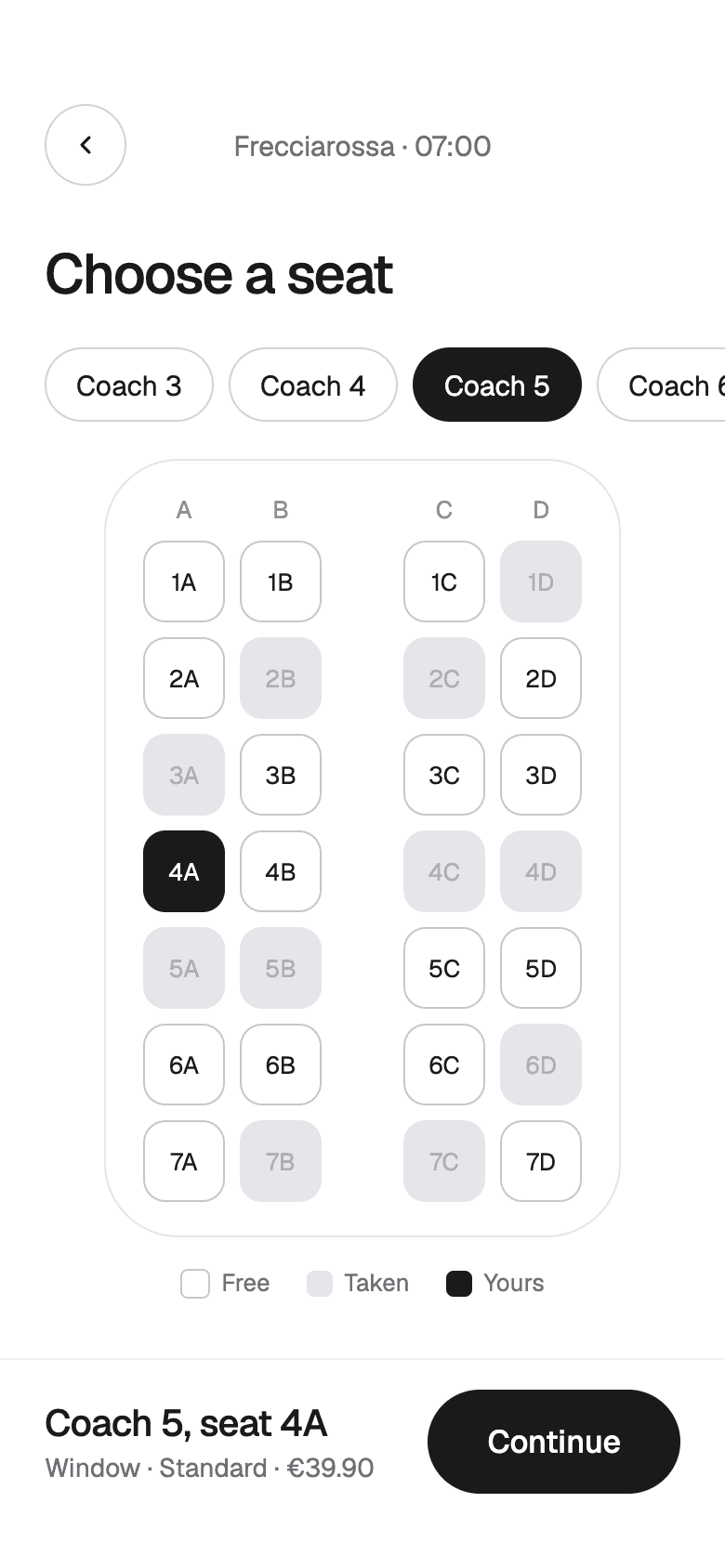
SeatCoach by coach, with the seat's price. 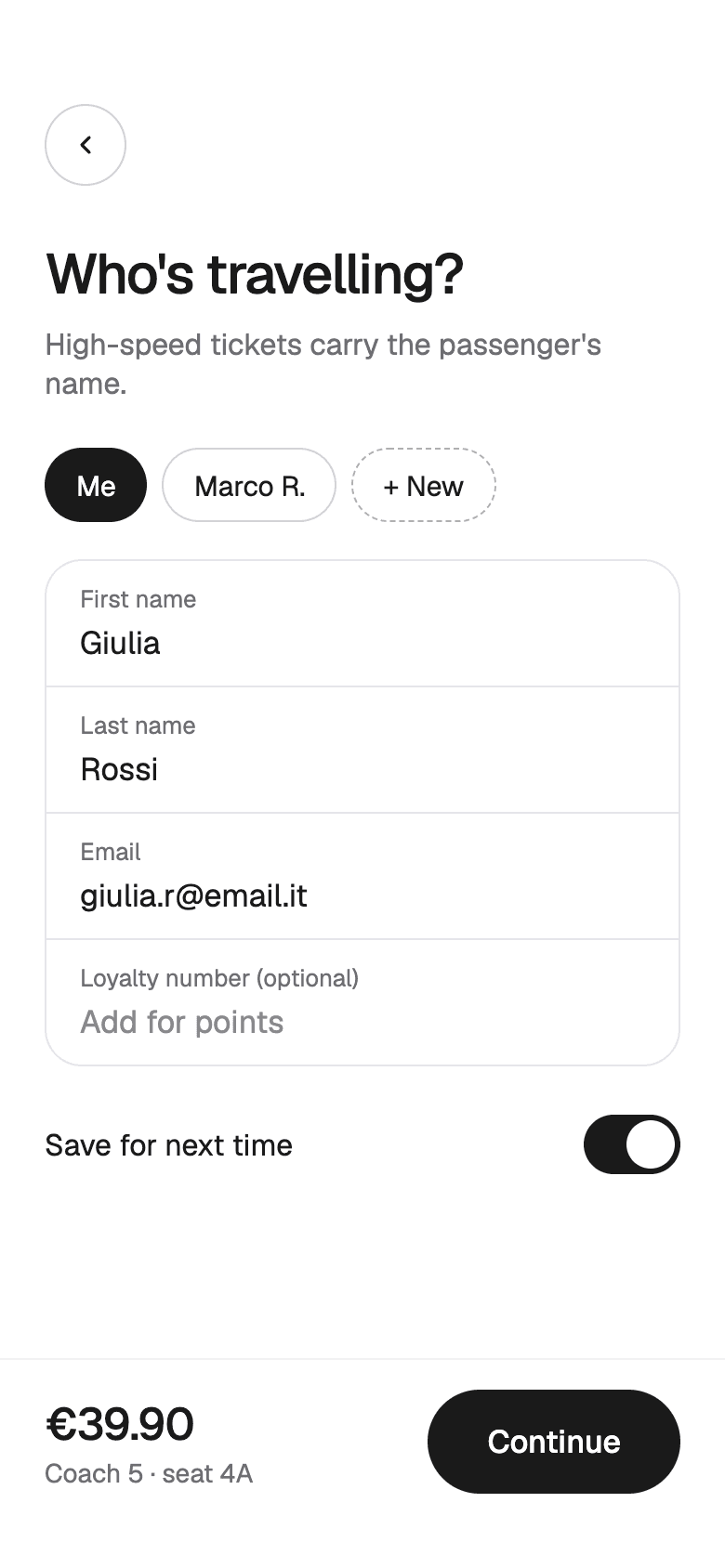
Passenger detailsNames saved for next time.
Paying and traveling
The problemEven after paying, travelers keep checking boards and announcements to see if their train is on time.
What we did
- Checkout offers Apple Pay, Satispay, a card, or PayPal, with the cancellation terms right under the pay button.
- The ticket shows the platform and class and says clearly that it doesn't need validating. It can go to Wallet.
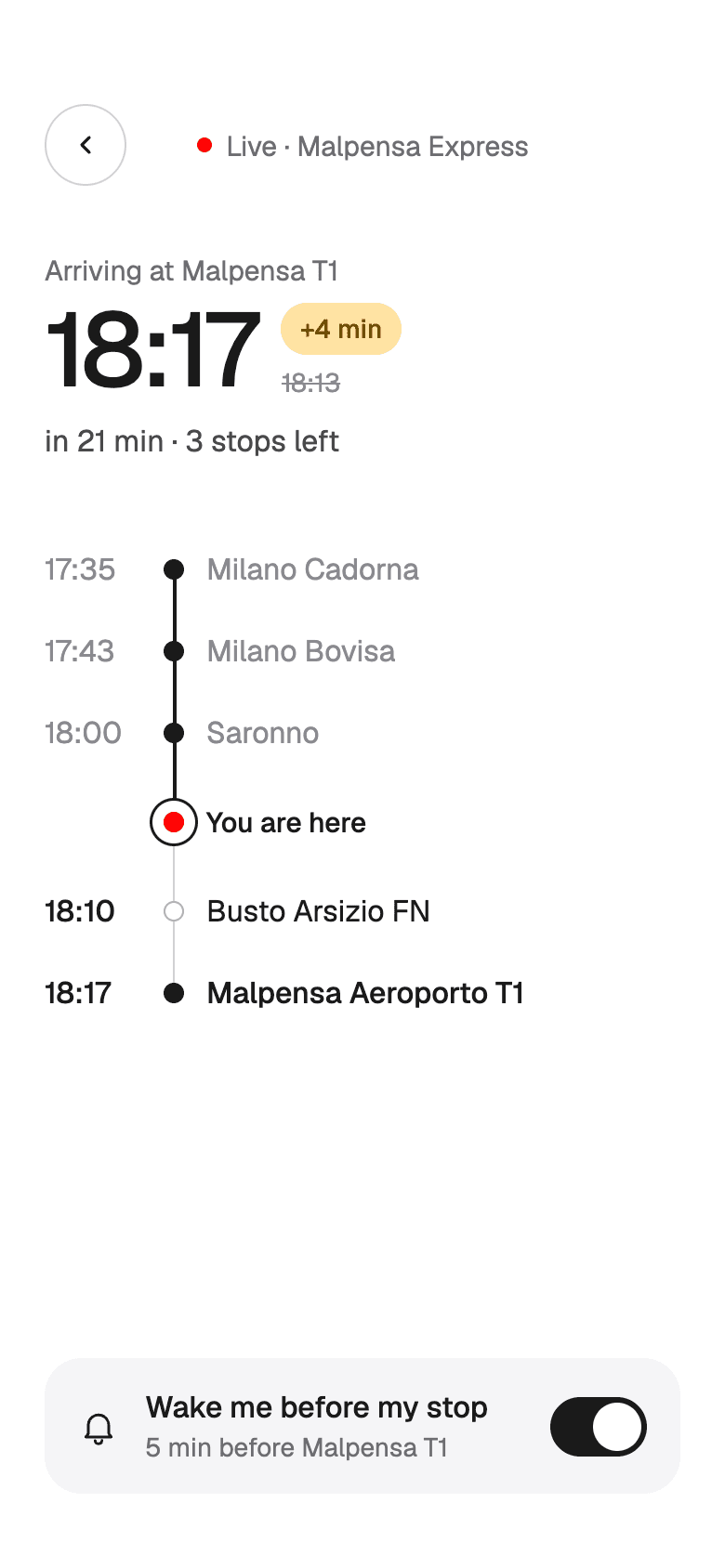
- Live trip follows the train stop by stop, shows any delay, and can wake the traveler five minutes before their stop.
- Strike alerts list the guaranteed trains, flag trips at risk, and offer a free change or a full refund.
- Changing a ticket shows what each option costs before you confirm, and refunds go back to the original payment method.
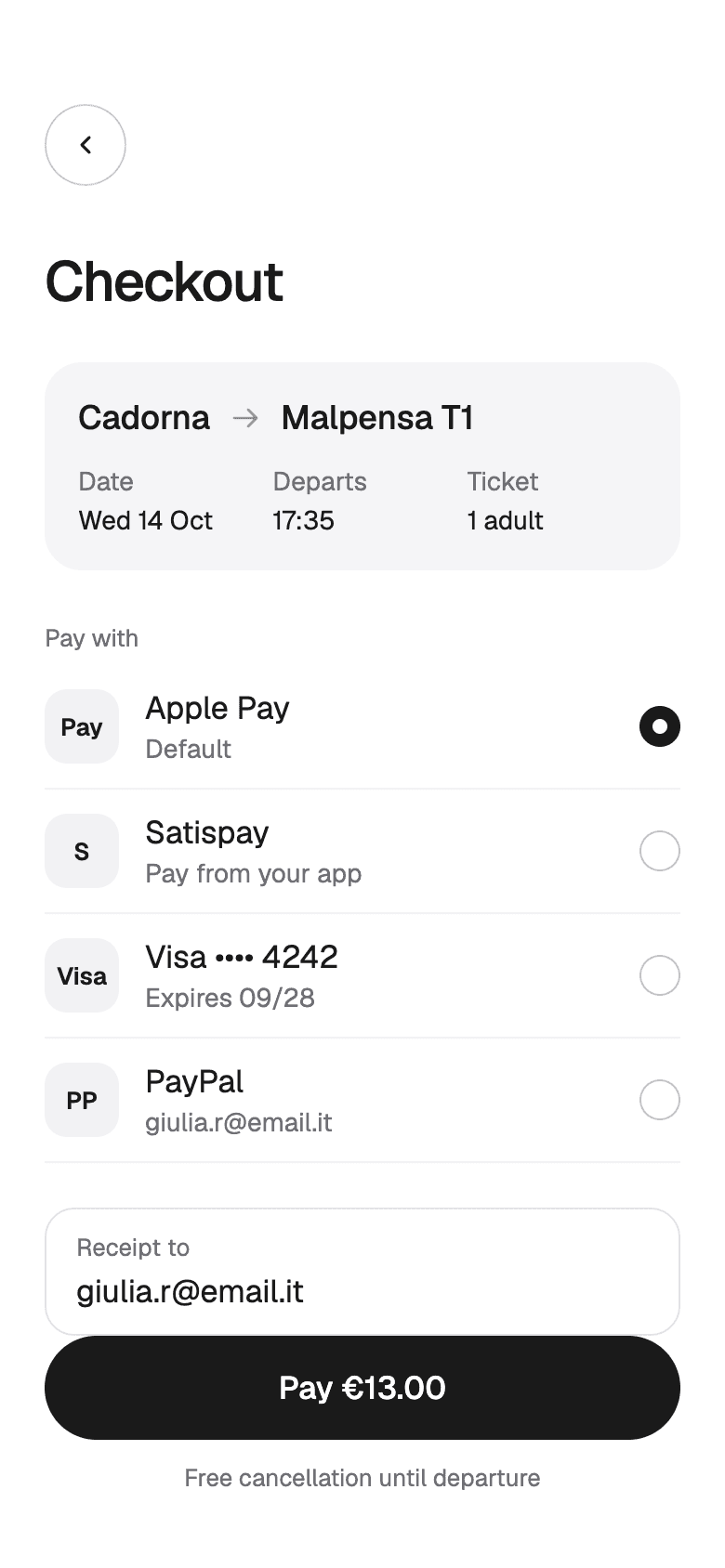
CheckoutFour ways to pay, terms under the button. 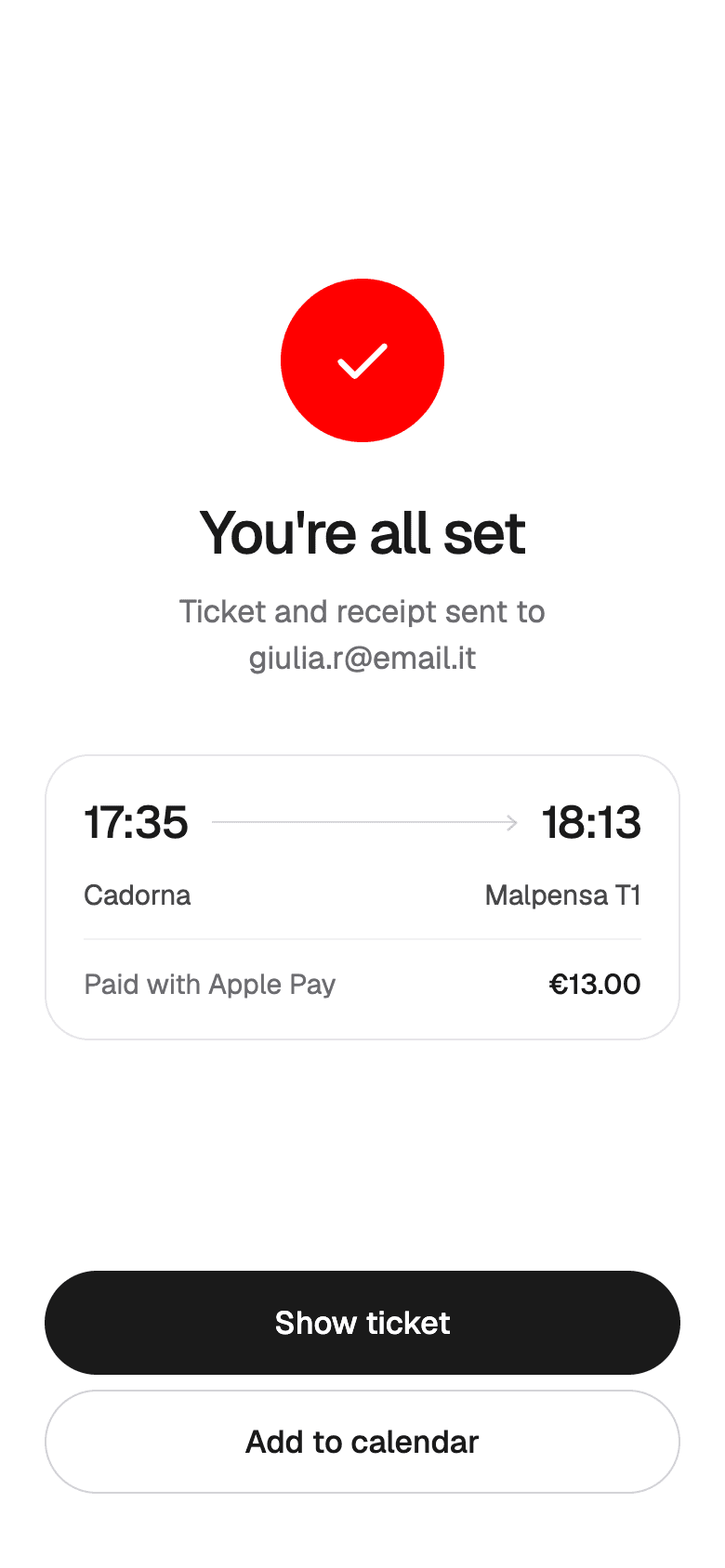
Payment doneTicket and receipt sent, calendar one tap away. TicketA QR code that needs no validating. 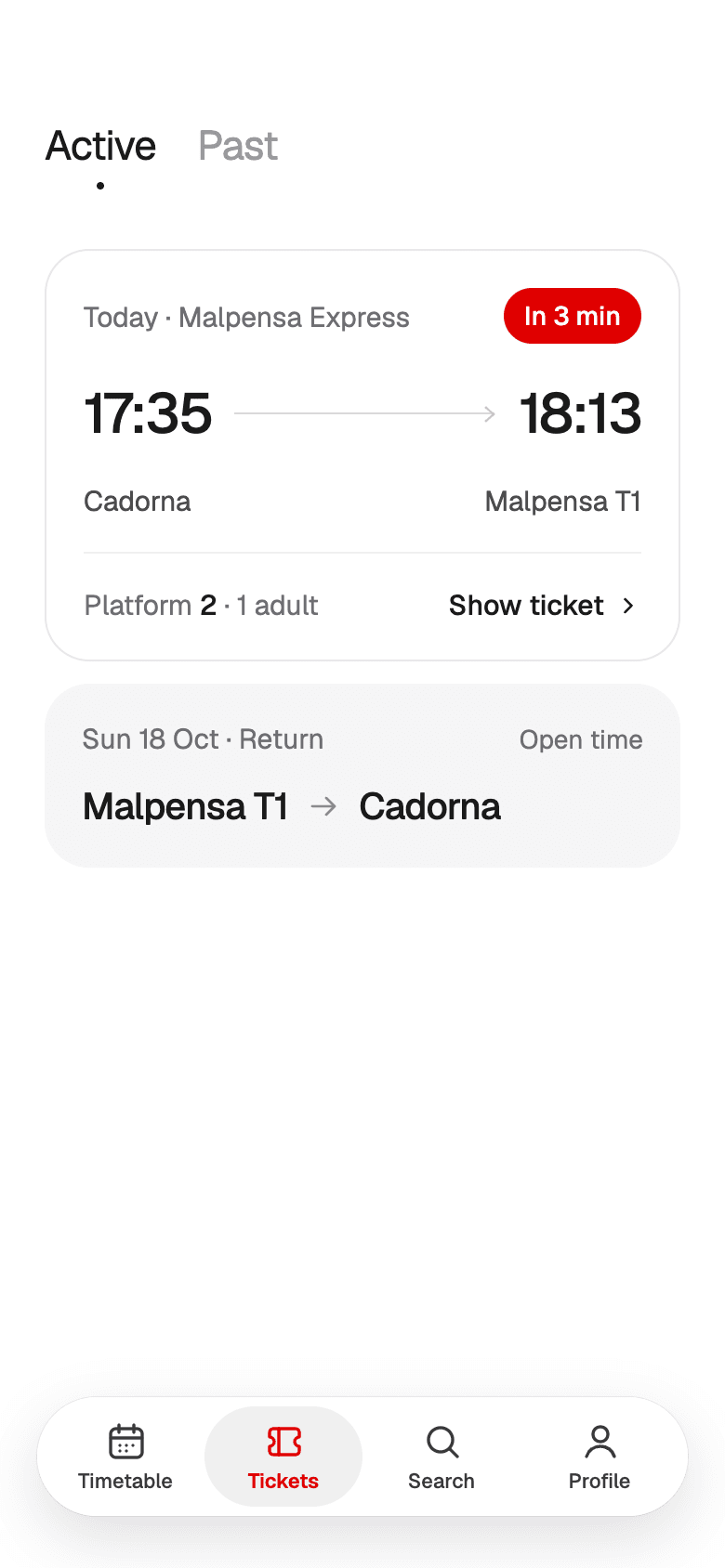
My ticketsActive and past, the next one first. Live tripStop by stop, with a wake-up before your stop. 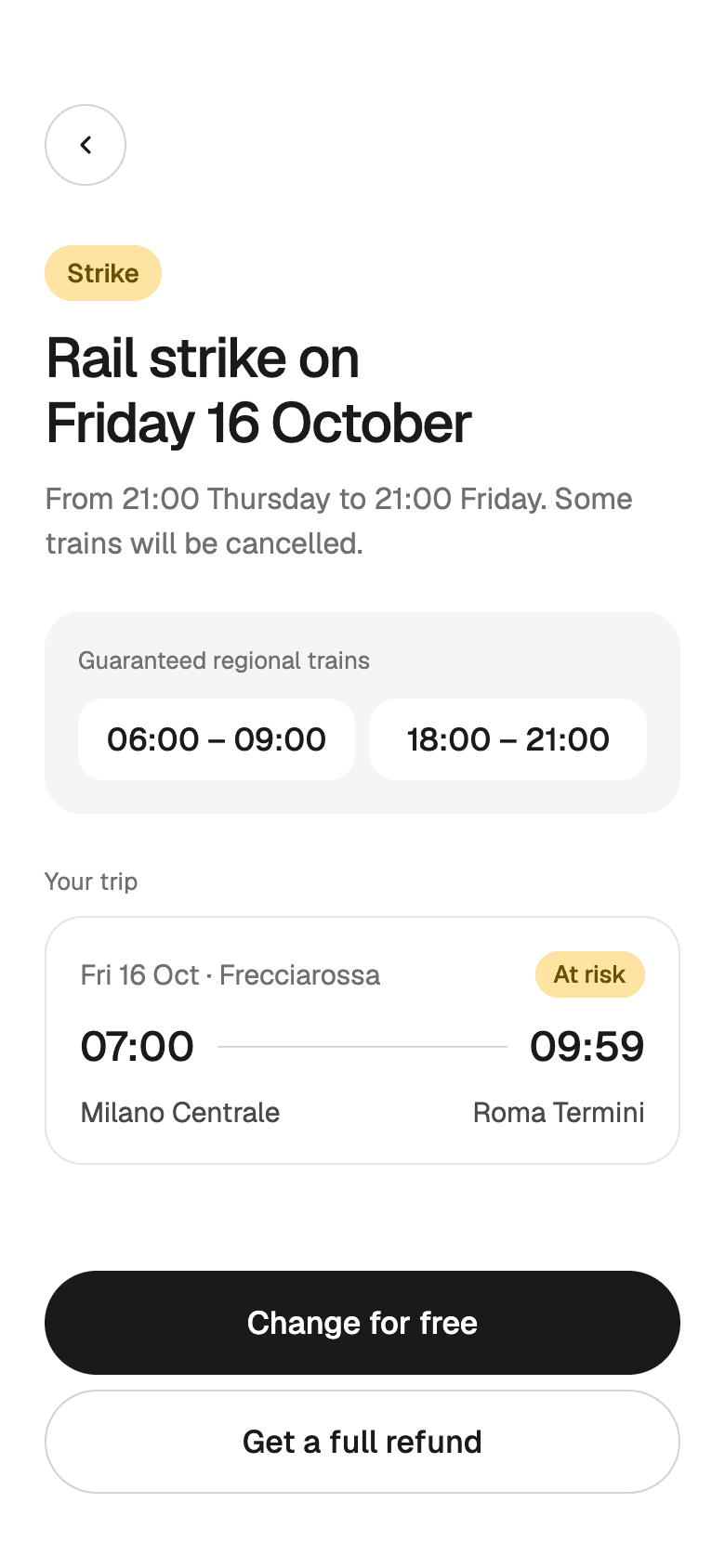
Strike alertGuaranteed trains, and a free change or refund. 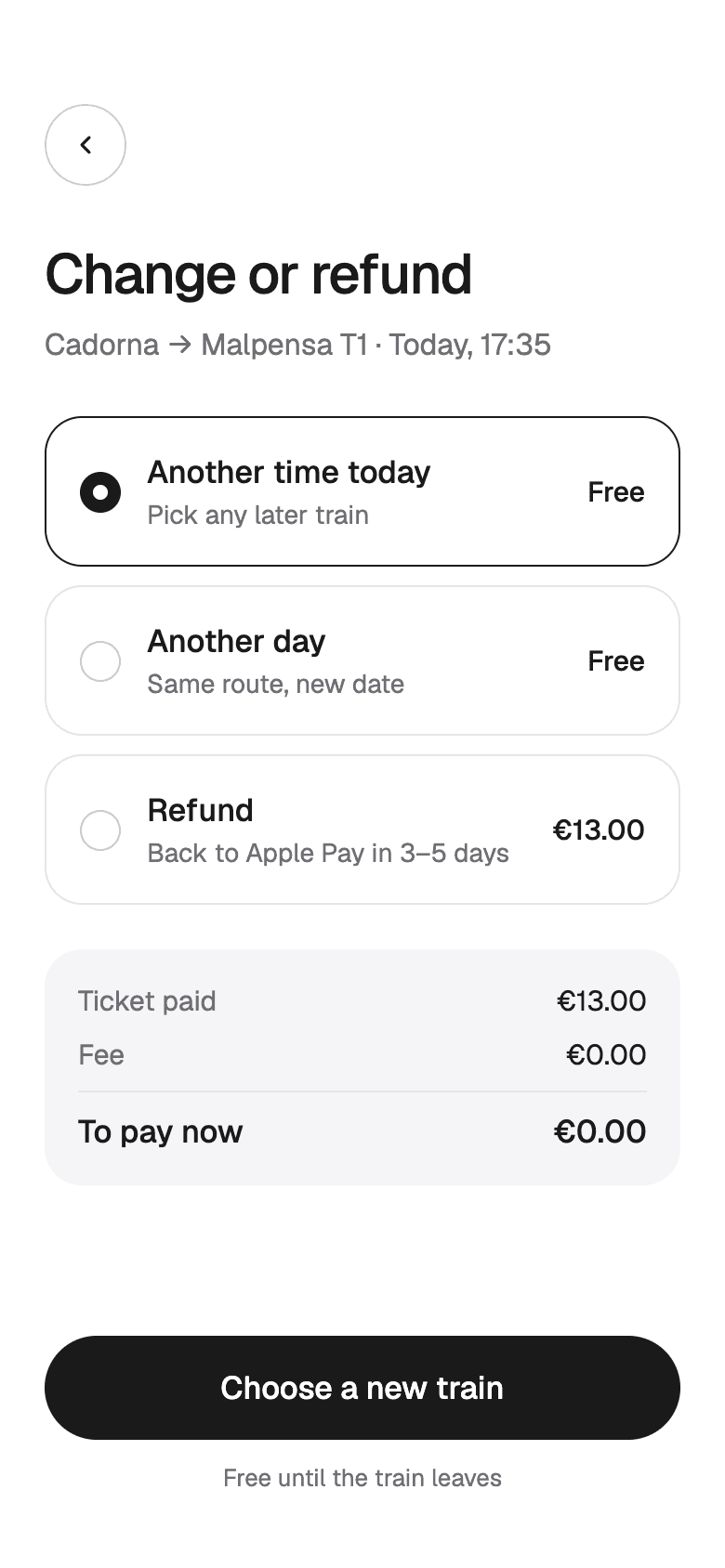
Change or refundEvery option priced before confirming. 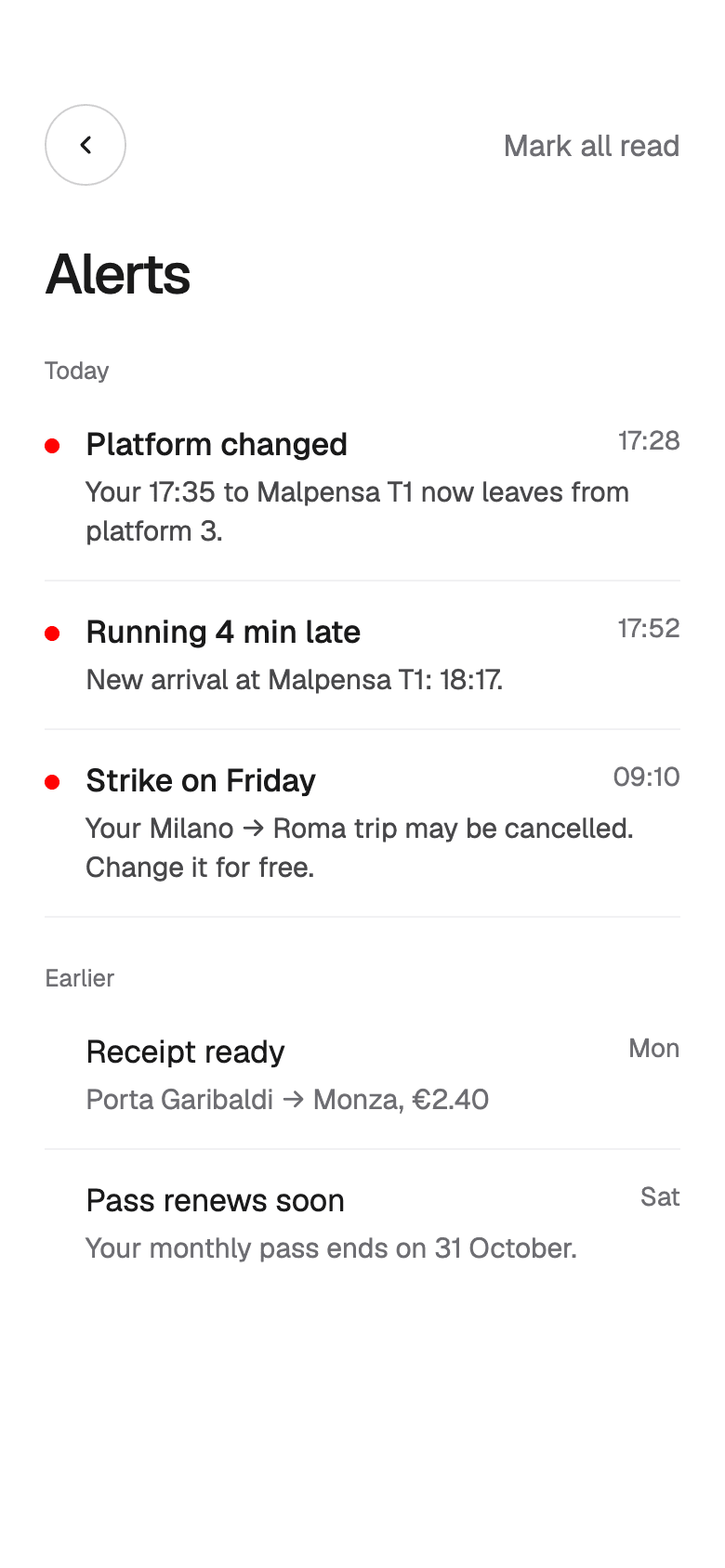
AlertsPlatform changes, delays, and strikes, with the fix.
Account and help
The problemRegular travelers buy the same tickets over and over and need receipts for work, so the account has to keep what they reuse.
What we did
- Saved routes, like home to work, are at the top of the profile.
- Passes and discount cards show what's left, like 17 days on a monthly pass, and a button to renew.
- Receipts are grouped by month, and business travelers can turn on invoices for work trips.
- Help answers the common questions first, starting with whether a ticket needs validating.
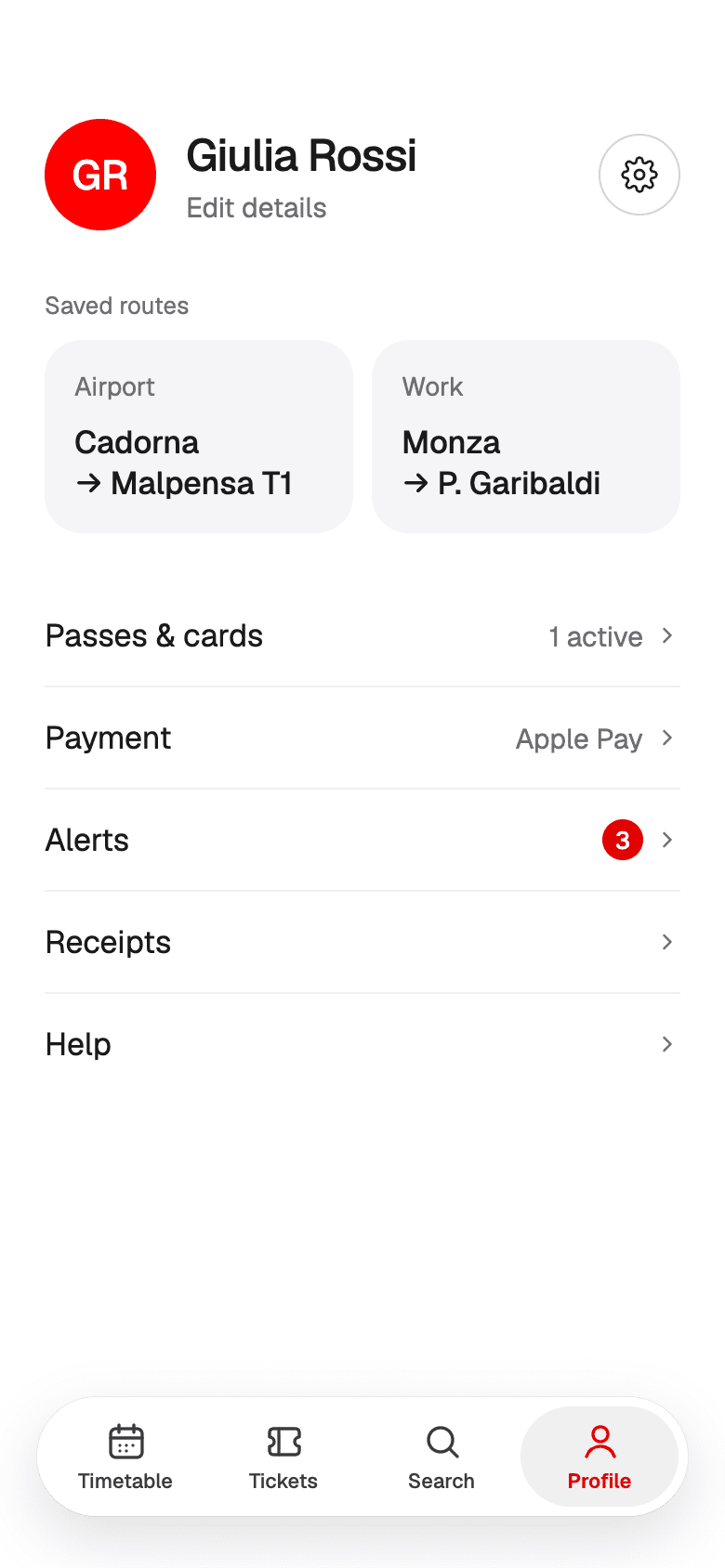
ProfileSaved routes, passes, payment, and receipts. 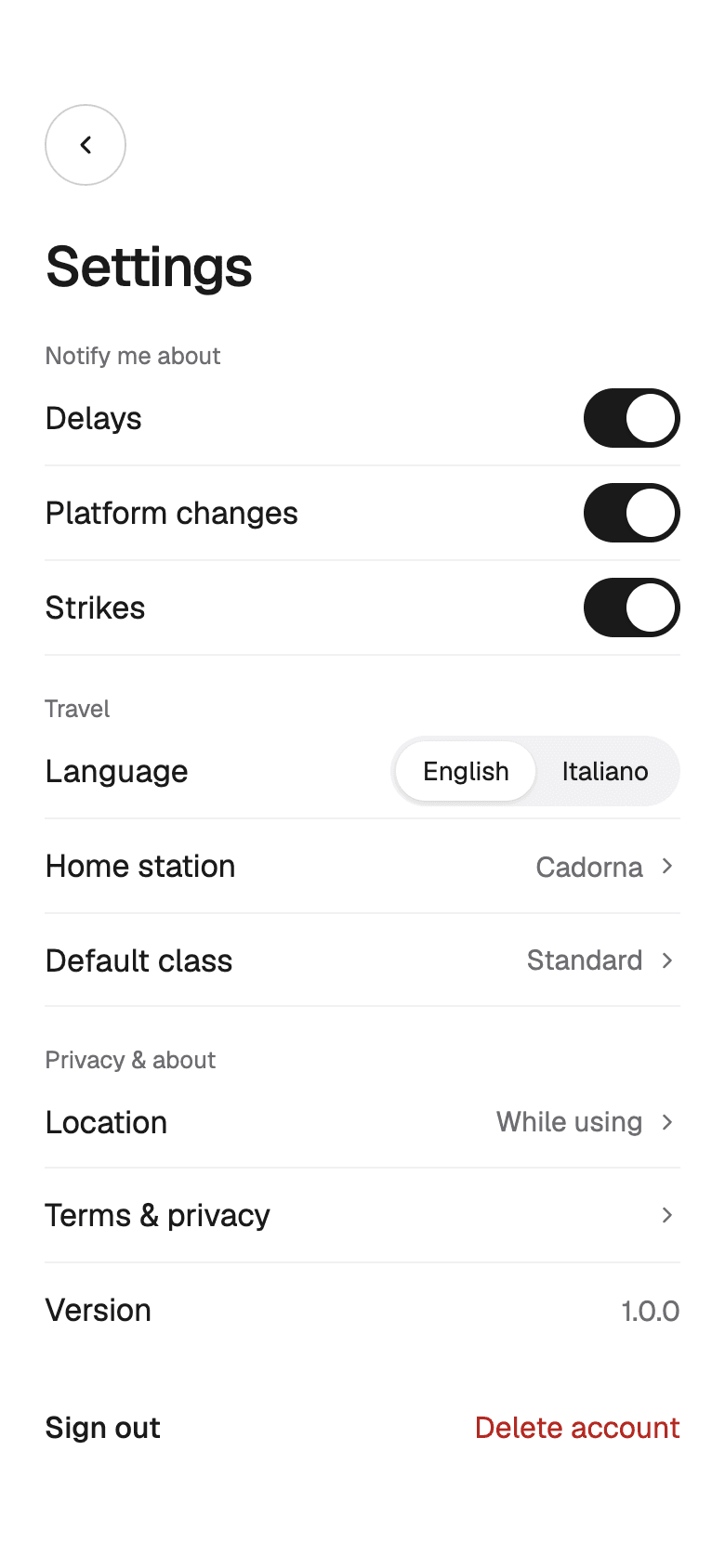
SettingsAlerts, language, home station, and class. 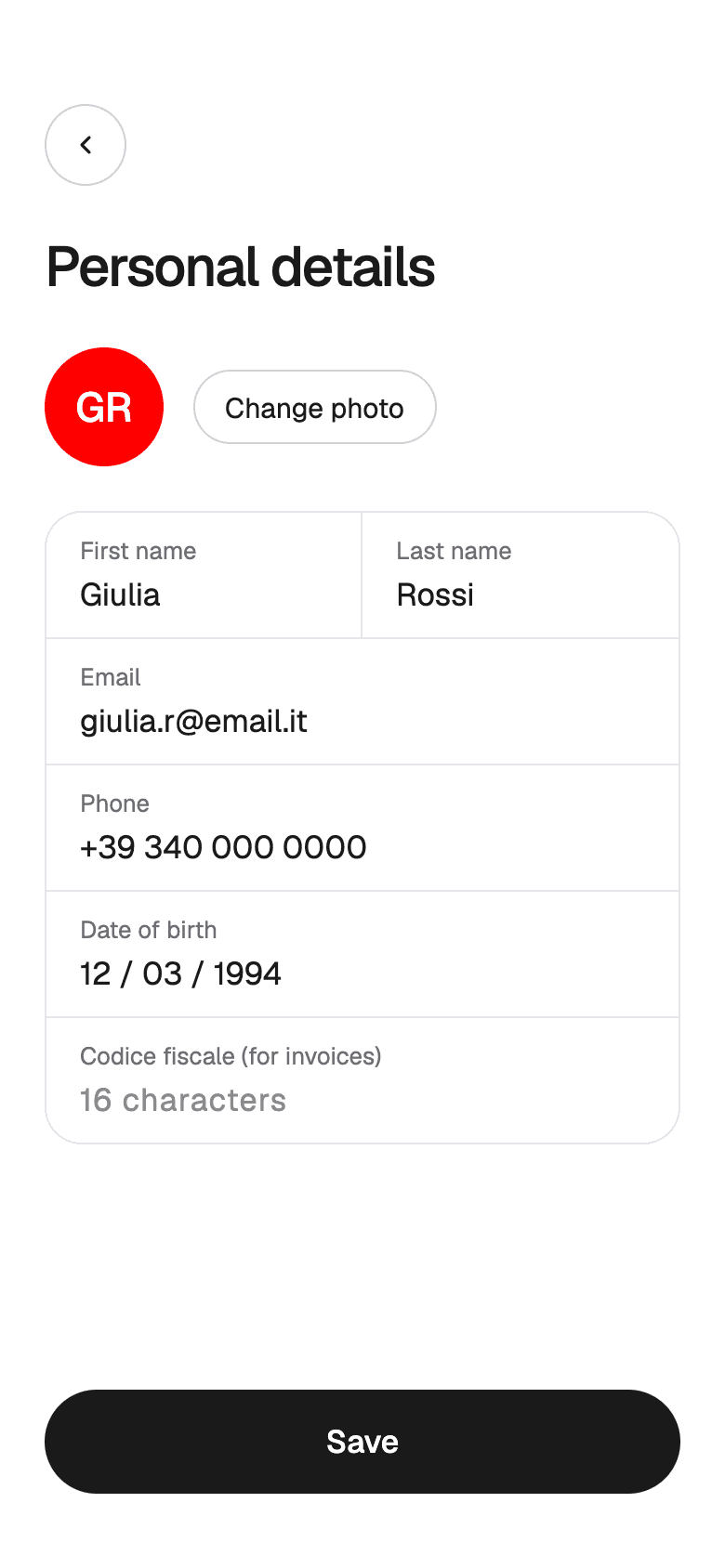
Personal detailsName, contact, and tax code for invoices. 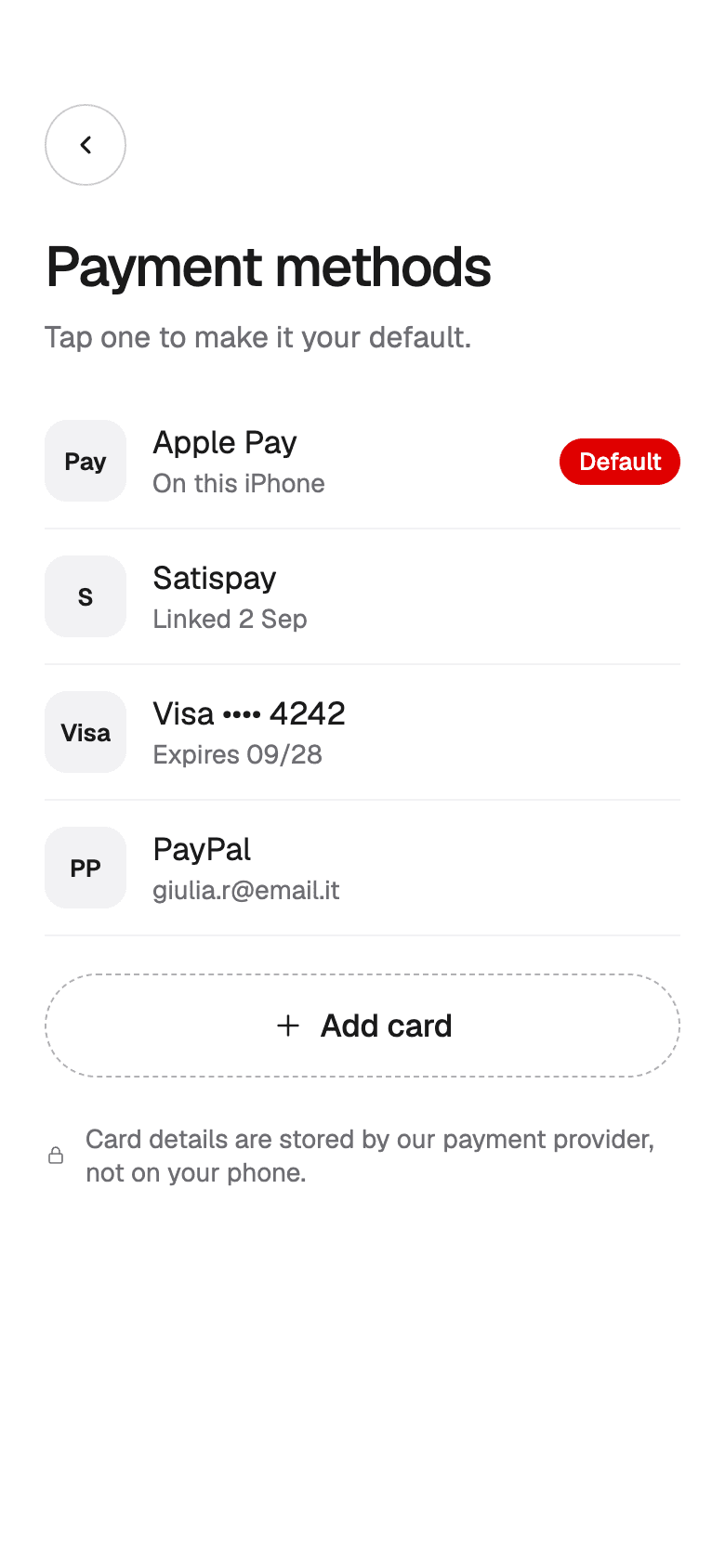
Payment methodsTap one to make it the default. 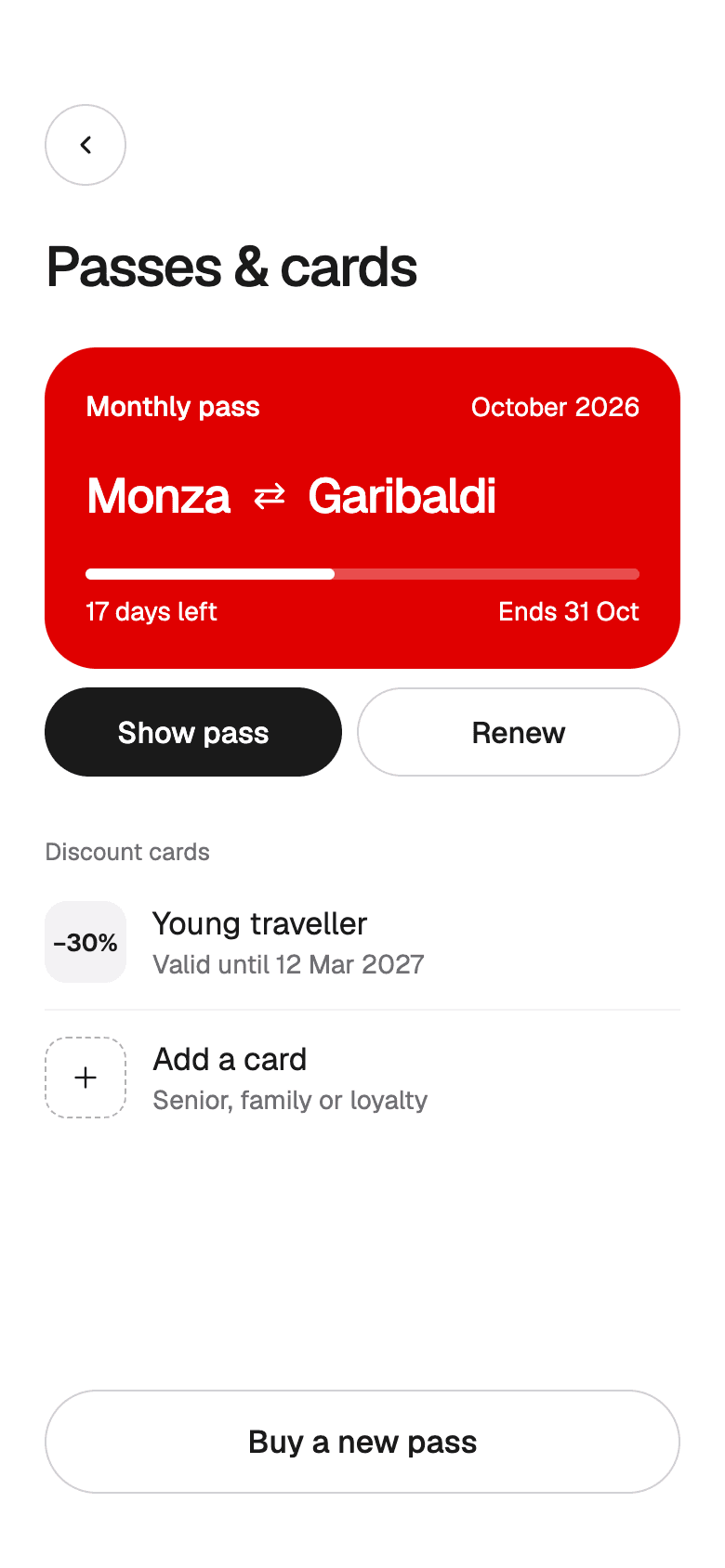
Passes and cardsMonthly passes and discount cards. 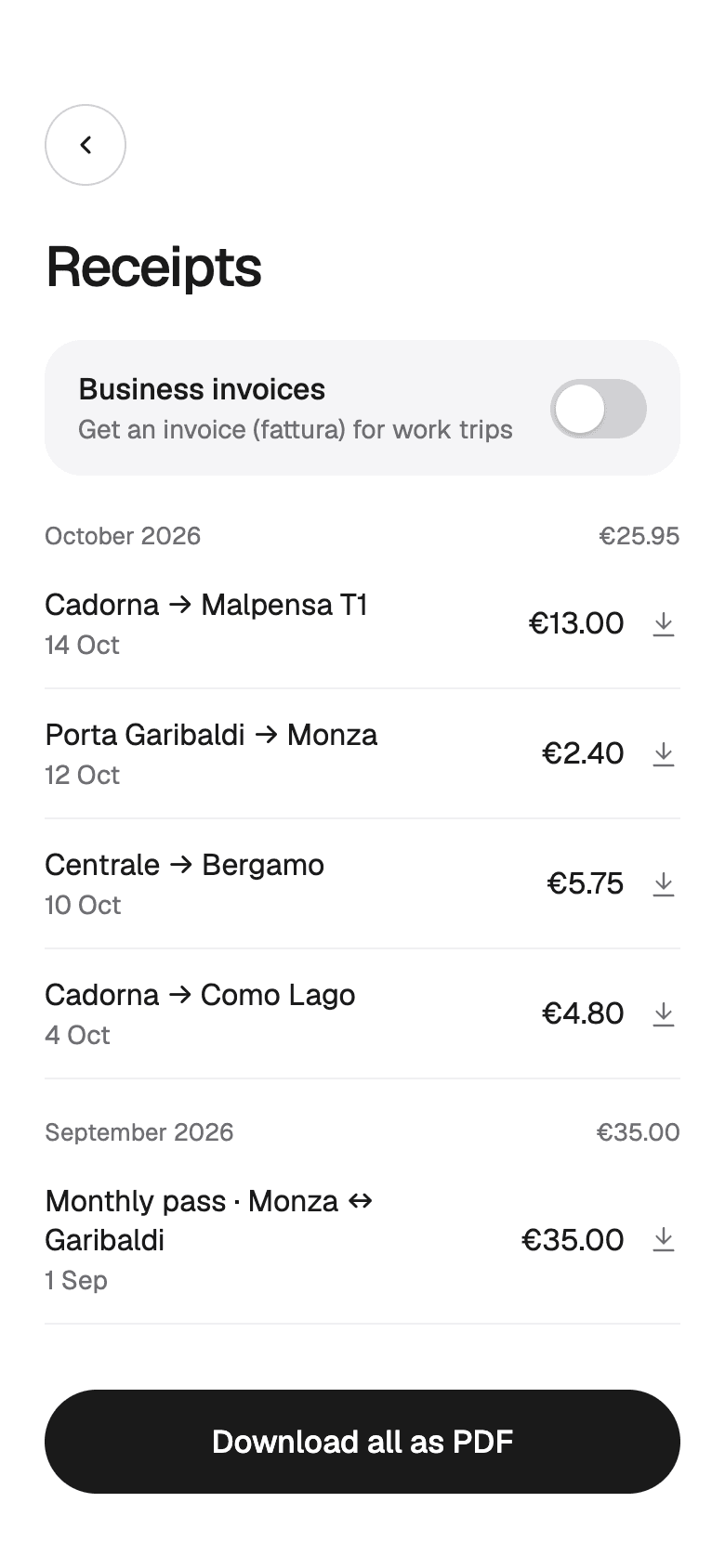
ReceiptsBy month, with business invoices. 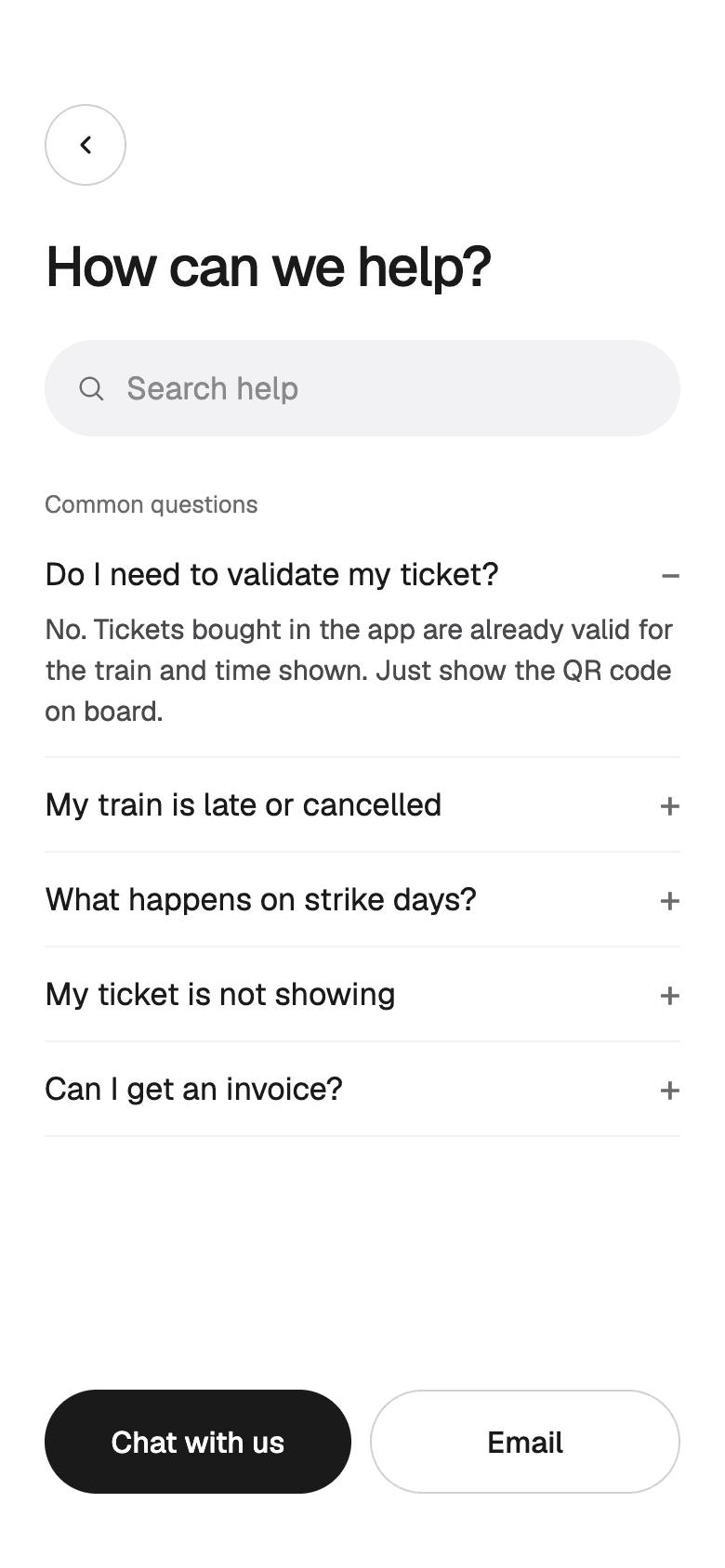
HelpCommon questions answered first.
The visual system
White screens and black type, with red used only for what's happening right now.
- Red#FF0000Brand, countdowns, live position, alerts
- Ink#1A1A1AType and primary actions
- Paper#FFFFFFScreens
- Fill#F5F5F7Grouped fields and cards
- Secondary#6E6E73Supporting text
- Warning#FFE3A3Strikes and trips at risk
- Times first
- Departure and arrival times are the biggest text wherever they appear, because they're what people scan for.
- Red means now
- Red marks the next train's countdown, the train's live position, and new alerts.
- One typeface
- Geist in a few sizes keeps dense timetables readable on a small screen.
- Accent options
- The accent is a single setting in the prototype, with red, blue, and black versions to compare.
How success is measured
The numbers that show whether the design fixes the problem.
- Time from opening the app to a paid ticket
- Share of tickets bought from a saved route
- How many strike-day changes and refunds are done in the app
- How often people use Track train during a trip
Next case study: Halden. A sales workspace for B2B teams that logs calls and email on its own, so the pipeline stays up to date without anyone typing it in.
Planning an app like this? Send a few lines about it, see how a project runs week by week, or browse all our work.
Have something worth building?
- Product strategy
- iOS
- Design systems
- Launch sites
- Measurement
- Android
- Prototypes
- UX design
- MVPs
- Web apps
- UI design
Send a few lines about it. You will get an honest reply within two days, and a plan if it fits.